
Features
OCR, AI summary, Instagram API, widget.
What each optional module needs and what it never does.
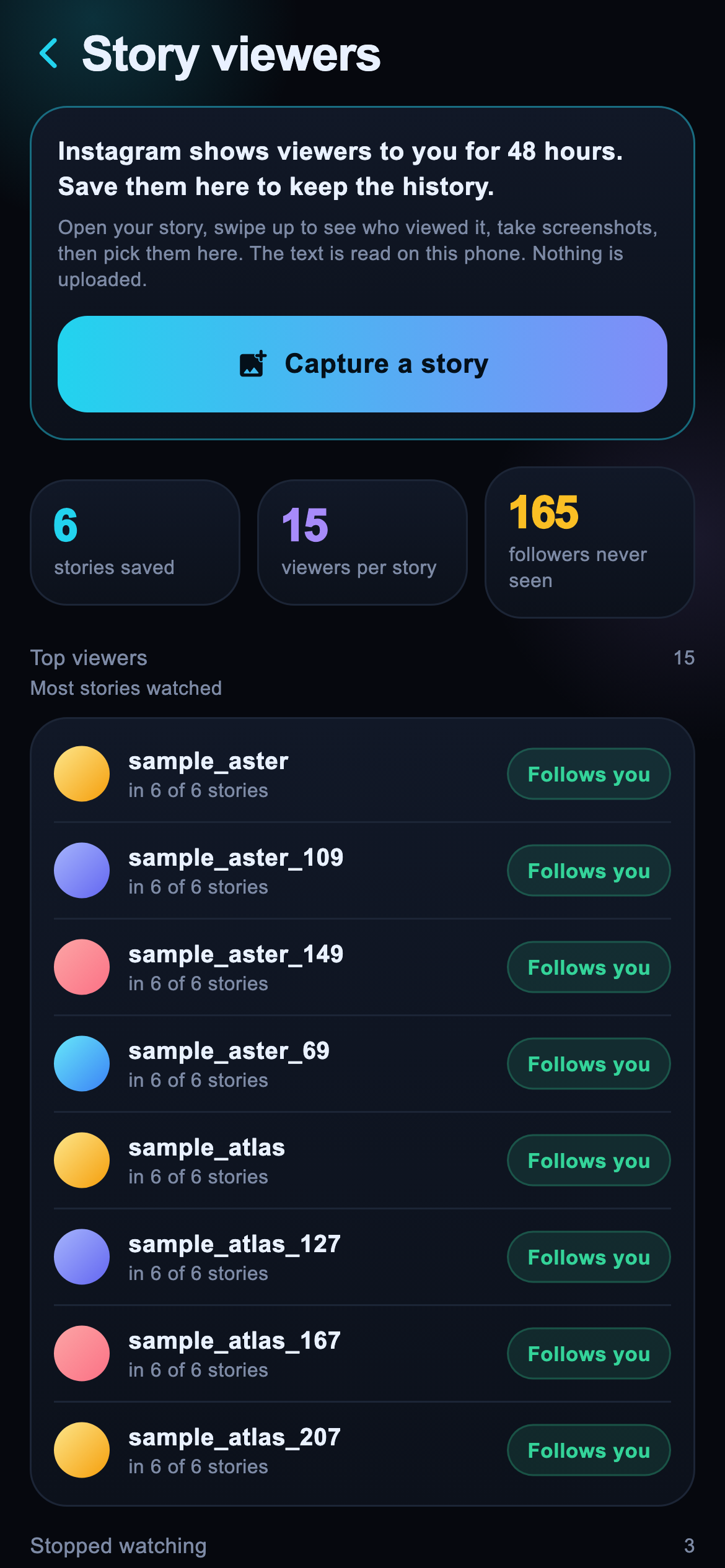
01Story viewers from screenshots (OCR)
Instagram shows a story's viewers to its owner for 48 hours. The user takes screenshots of their own viewer list and picks them in the app. The text is read on the phone; nothing is uploaded:
- iOS: Apple Vision (
VNRecognizeTextRequest, inios/Runner/AppDelegate.swift, channelfollowlens/ocr). Nothing to install. - Android: Google ML Kit text recognition (
com.google.mlkit:text-recognitioninandroid/app/build.gradle.kts, used inMainActivity.kt). Nothing to configure.
Lines that look like usernames are listed; Instagram's interface words and the user's own name are dropped. The user reviews the list (remove, edit, add) before saving, and the app only ever shows viewers the user captured. Switch on/off and make it Pro in the console (features and Pro features). Accuracy depends on the screenshot; OCR can misread characters, which is why the review step exists.
02AI weekly summary
Optional, off by default. The app sends only the digest numbers (net, joined, left, returned, followers, follow-back rate, days; no usernames, no account name) to your server. Your server asks your provider for at most three short sentences and returns them. If the server answers "off" the app hides the card.
- Get a key. Create an API key at OpenAI or Anthropic. You pay your provider for usage.
- Console, AI weekly summary. Choose the provider (OpenAI Chat Completions or Anthropic Messages), enter the model id from your provider's list (no default is guessed), the API key (write-only, stored encrypted), max output tokens (default 200) and summaries per install and day (default 20).
- Test and switch on. Press Test (it lists the provider's models and spends no tokens), then turn "AI summary" on. The Status page warns if it is on without a model or key.
03Official Instagram API module
Optional, off by default. Uses "Instagram API with Instagram Login" so a user with a Business or Creator account can connect it and see counts only: profile views, reach over 30 days, followers count, media count and the last 25 posts with likes, comments and a few per-post metrics. It never shows who viewed a profile. Personal accounts must first be switched to Business or Creator in Instagram's settings; the app says so.
The OAuth code exchange and the long-lived token exchange happen on your server; the app secret is never in the app. Tokens are stored encrypted. Insights are cached for 1 hour. The user can disconnect, which deletes the token. Scopes requested: instagram_business_basic, instagram_business_manage_insights.
- Create a Meta app at developers.facebook.com and add the Instagram product with Instagram Login (API setup with Instagram login). Copy the Instagram app id and app secret.
- Redirect URL. It is your public server address plus
/v1/ig/callback, for examplehttps://api.example.com/v1/ig/callback. Register exactly this value in the Meta app's valid OAuth redirect URIs. - Console, Instagram API. Enter app id, app secret (write-only), the same redirect URL, the Graph API version (default
v23.0; check Meta's changelog) and the per-post metrics list (defaultreach,saved; metric names change, confirm in Meta's reference). Turn it on. - App Review. While the Meta app is in development mode only people with a role on the app can connect. To open it to the public, submit it for Meta's App Review for the two scopes and switch the app to live mode. Meta's requirements (privacy policy URL, screencasts, business verification) are set by Meta and change; follow Meta's current instructions. This part is unverified here.
- Return to the app. After sign-in your server redirects to
followlens://ig-connected(see deep link).
Meta may take time or refuse an App Review. The module is an add-on: Followlens works fully without it.
04Widget, digest, goal
- Widget: followers, net since the last import and the last import date, Android and iOS. Setup: App setup.
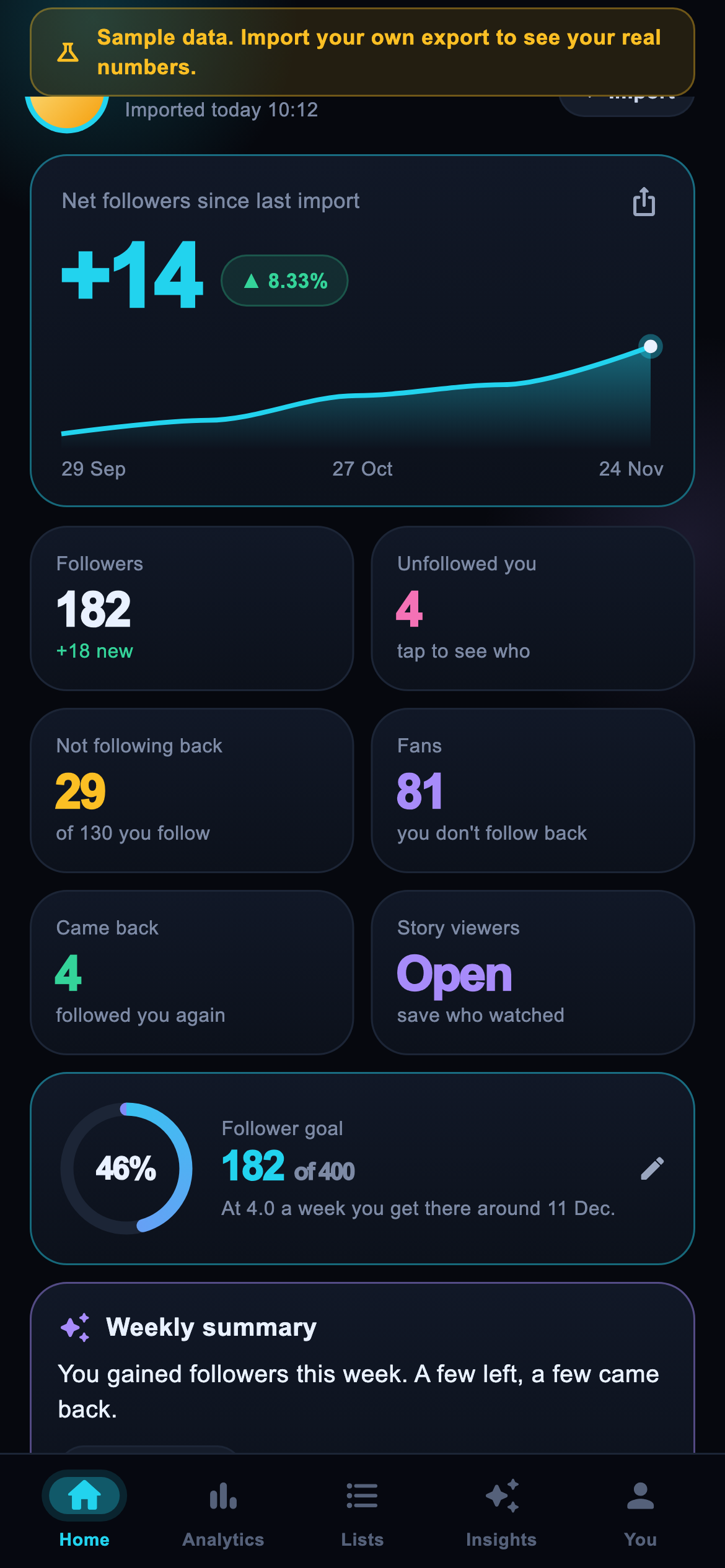
- Weekly digest notification after each import and on the reminder schedule, for example "+68 this week, 23 left, 4 came back"; no usernames in the text. Reminders are off until the user picks an interval on the You tab.
- Follower goal: progress ring and an estimate from the average weekly net of the last 8 imports.
05Lists and analytics
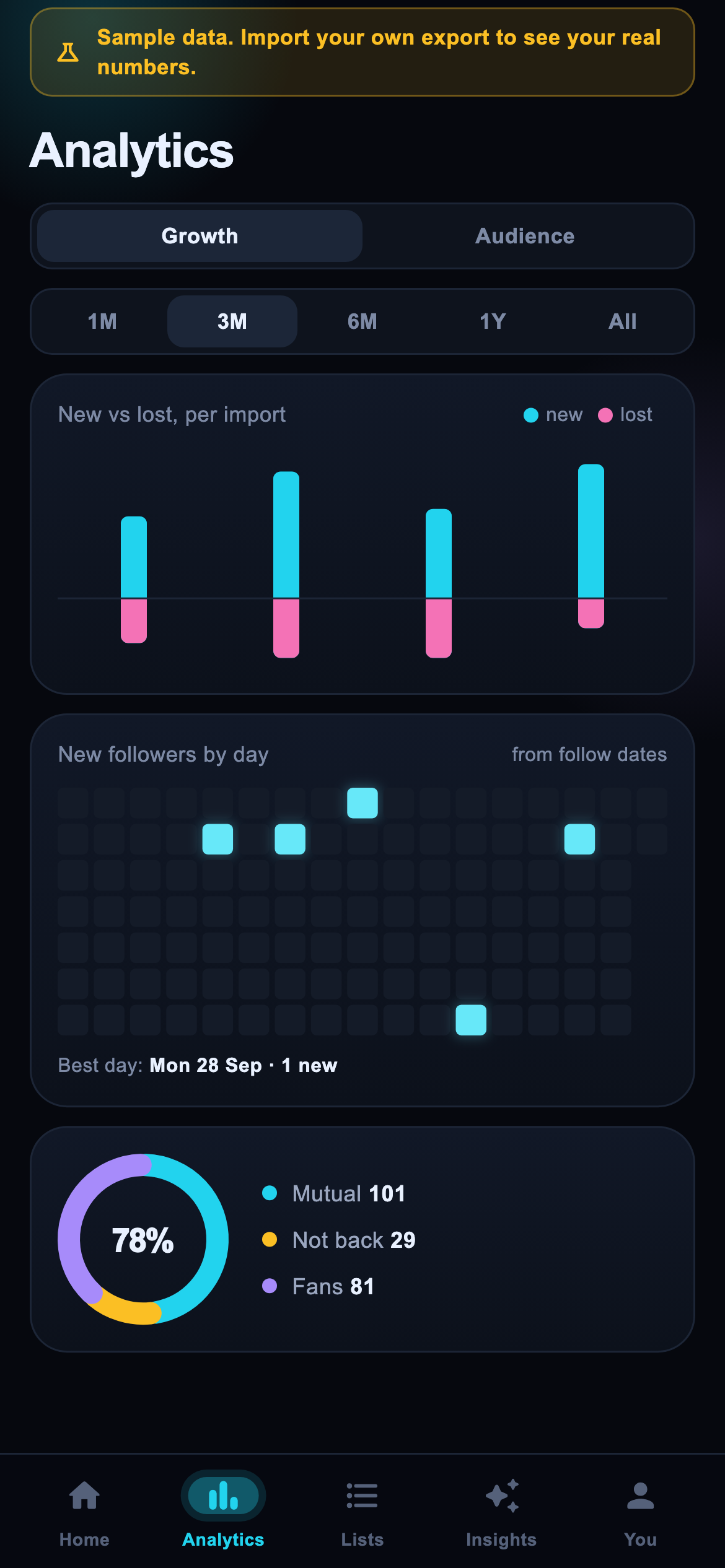
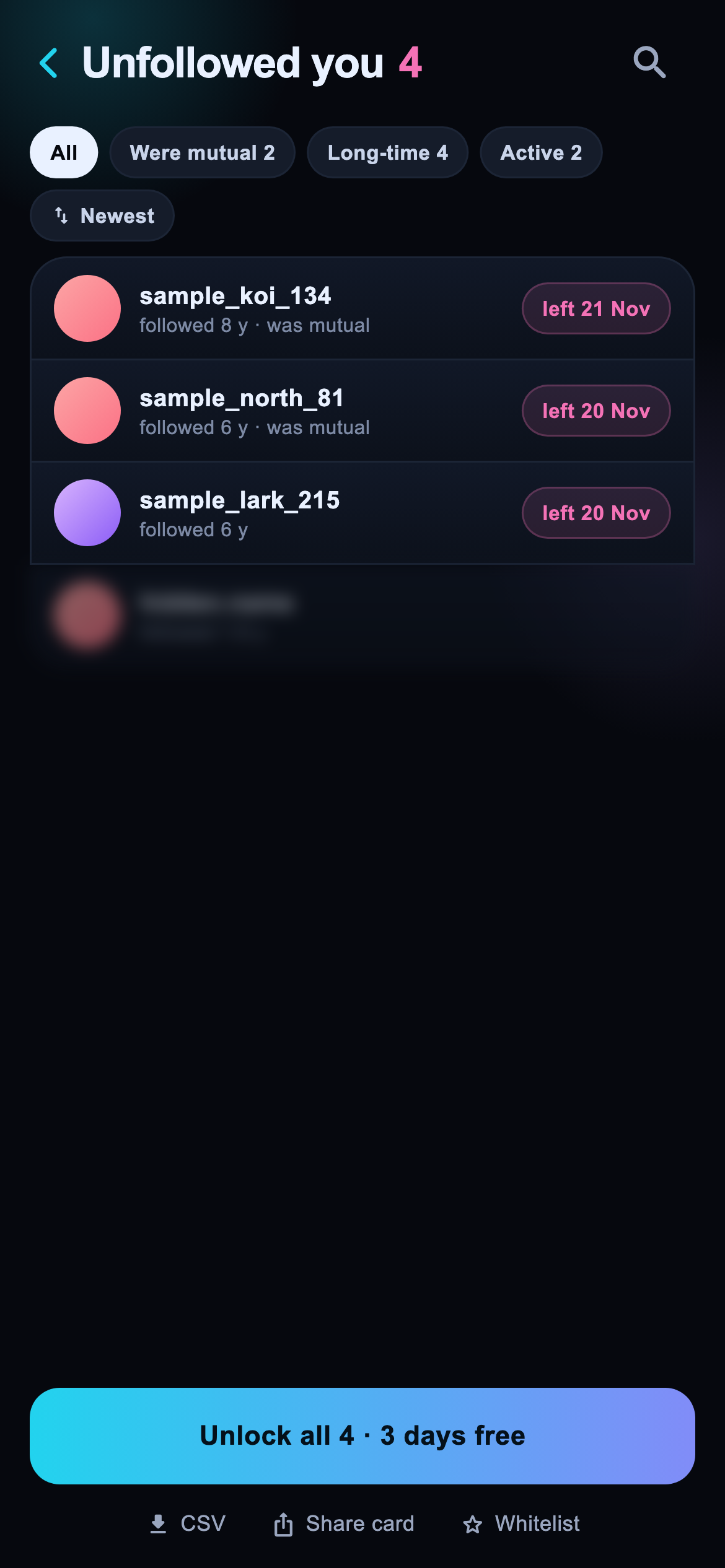
Free users see blurred rows past the free-row limit (names are replaced, not just hidden). The whitelist hides accounts from not-following-back, clean-up and one-sided-love. The exact formulas are in contract/CONTRACT.md, section 3.